#Product Trends
Scientific Maintenance Guide for Ultrasonic Bone Densitometer: Ensure Every Step of Precise Measurement
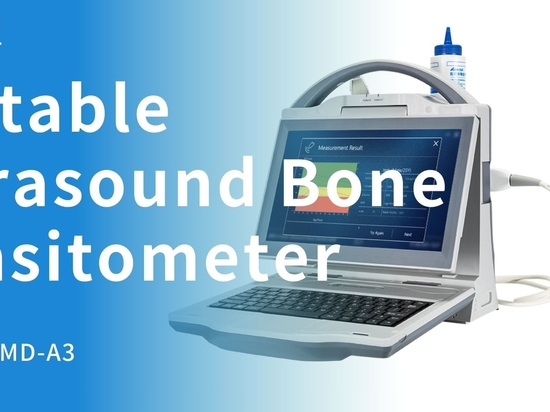
Ultrasonic bone densitometers, as radiation-free and easy-to-operate bone health detection devices, are widely used in hospitals, physical examination centers and community medical scenarios.
Ultrasonic bone densitometers, as radiation-free and easy-to-operate bone health detection devices, are widely used in hospitals, physical examination centers and community medical scenarios. It accurately assesses bone density and bone strength through the propagation speed and attenuation degree of ultrasound in bones, providing key data for the early screening of osteoporosis. However, the accuracy and stability of the equipment are highly dependent on daily maintenance. Scientific care not only extends the service life of the equipment but also ensures the reliability of the test results. Today, we will provide you with a detailed explanation of the key points for maintaining an ultrasonic bone density meter.
1. Daily basic maintenance: Prevent problems before they occur
Clean the casing and probe
Gently wipe the surface of the equipment with a soft, slightly damp lint-free cloth. Avoid using cleaners containing alcohol, bleach or abrasives
Special care should be taken when cleaning the probe. Immediately after use, remove any residue of coupling agent with a dedicated cleaning wet wipe
Thoroughly clean all the outer surfaces of the equipment, including cables and connection points, at least once a week
Coupling agent management
Use medical ultrasonic coupling agents
Thoroughly remove any residual coupling agent from the probe after each use
Pay attention to checking whether the coupling agent has expired. A deteriorated coupling agent may damage the probe
Environmental control
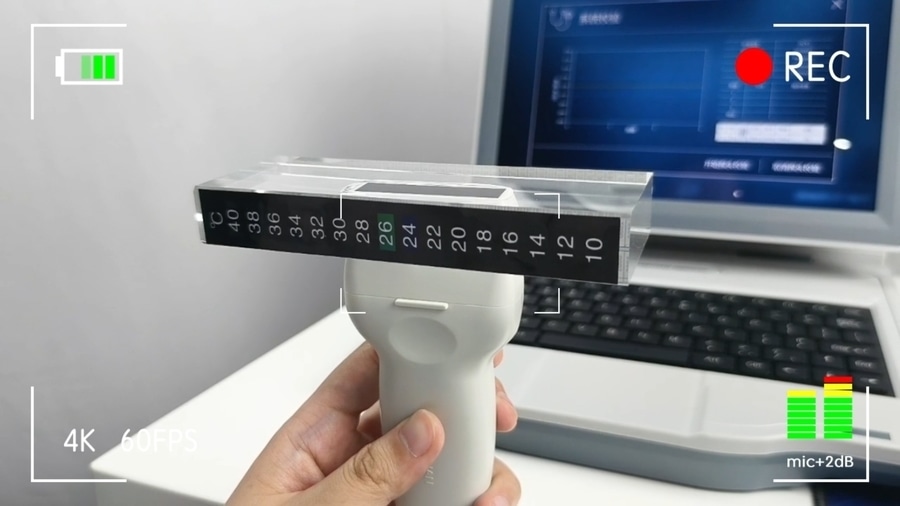
Keep the storage environment temperature of the equipment between 15 and 30 degrees Celsius and the humidity between 40 and 60%
Avoid direct sunlight and proximity to heat sources (such as radiators, heaters, etc.
Make sure the equipment is placed stably and away from areas where collisions or toppling may occur
2. Regular professional maintenance: Ensure accurate measurement
Probe depth care
Use a dedicated probe cleaner for deep cleaning every month
Regularly check the surface of the probe for any scratches or wear. Even minor damage may affect the measurement accuracy
Avoid the probe coming into contact with sharp objects
System calibration
Perform professional calibration at the frequency recommended by the manufacturer (usually 1 to 4 times per month)
Verify the measurement accuracy using the standard calibration module
Record the results of each calibration and establish a trend chart of equipment performance changes
3. Optimization of usage habits: Extend lifespan from details
Standardize the operation process
Before starting up, check whether all connections are firm
When starting up, follow the sequence of "host → computer → printer". When shutting down, operate in the reverse order.
Avoid frequent on and off of the device. If the device is to be used repeatedly within a short period of time, keep it in standby mode
Movement and transportation protection
Make sure the device is turned off and the power is disconnected before moving it
Use dedicated transport boxes or fixtures to prevent vibration during transportation
Battery maintenance (for portable devices
Avoid complete discharge. Charge in time when the battery level drops below 20%
When not in use for a long time, store the battery at 40-60% power
Fully charge and discharge the battery once every three months to maintain its health
4. Common Problem Identification and Emergency Handling
Early signs of abnormal performance
The measurement results fluctuate more significantly or are obviously inconsistent with the clinical situation
The start-up time of the equipment has been significantly prolonged or the operating speed has slowed down
Abnormal noise, heat or strange smell
Simple troubleshooting
Unstable measurement: Check the probe connection and reapply the coupling agent
Failed to power on: Confirm the power connection
Abnormal display: Try restarting the system
Contact the manufacturer for professional support
Any hardware damage or physical injury
The software error cannot be resolved by restarting
Measurement deviations still occurred after calibration
5. Long-term maintenance strategy
Establish and maintain archives
Record the date and content of each cleaning, calibration and maintenance
Save all service reports and replacement parts records
Track the performance change trends of the equipment
Spare parts management
Stock up on commonly used consumables (such as coupling agents and cleaning kits)
Consider purchasing an extended warranty service
Personnel training
Ensure that all operators receive formal training on the use of equipment
Regularly review the maintenance procedures
Designate a specific person to be responsible for the supervision of equipment maintenance
The maintenance of an ultrasonic bone densitometer is a long-term task. Through scientific maintenance, not only can the service life of the equipment be prolonged, but also accurate and reliable detection data can be provided for clinical practice, facilitating the early screening and treatment of osteoporosis.