#Product Trends
EHR Workflow Optimization: Strategies to Improve Efficiency and Patient Care
Ensuring medical records are always up to date
Electronic health records are important in today’s medical practice, supporting everything from diagnosis to billing. Implementing an EHR system is essential, but ensuring it fits the medical group’s daily workflows—such as updating patient records and scheduling follow-ups—is equally critical.
What is EHR Workflow Optimization?
Common Challenges in Current EHR Workflows
Benefits of EHR Workflow Optimization
Best Practices for Successful Implementation
What is EHR Workflow Optimization?
Electronic health records (EHR) track a patient’s full medical history, including diagnoses, medications, treatment plans, immunizations, allergies, radiology images, and lab results. EHR workflow optimization focuses on identifying and resolving system issues to better serve healthcare providers, patients, and other stakeholders.
Common Challenges in Current EHR Workflows
Electronic health records can be difficult to set up and manage, which is understandable given their many features. Without proper workflow optimization, EHR systems may create more problems for a medical group than they solve.
Routine Disruption
If EHR systems are not well integrated into existing workflows, they can disrupt routines as staff learn the new system while maintaining their usual tasks.
Wasted Data Entry
Providers and staff may find EHR data entry tedious and time-consuming, diverting time from patient care. This can lead to dissatisfaction and burnout, putting more strain on patient care.
Interoperability Issues
Medical staff may have difficulty accessing patient records if EHR systems are incompatible or not standardized, slowing the retrieval of important information.
Alert Fatigue
If there are too many EHR alerts and notifications, providers may experience alert fatigue and begin ignoring important messages.
Usability Challenges
A poorly designed user interface for the EHR system makes it difficult for medical staff to quickly navigate and find a patient's record, where information – or a lack of it – is needed to manage life-threatening situations (allergies, diabetic shock, etc).
Data Accuracy and Integrity
Incorrect data, such as misspelling a patient’s name or recording the wrong medication dosage, can impact care. Mistakes can be minor, like billing errors, or serious and dangerous.
Privacy Concerns
Patient data in EHR systems is protected by laws like the Health Insurance Portability and Accountability Act (HIPAA). If EMRs are not configured correctly, they may expose information to unauthorized users. Breaking these rules can lead to fines for the healthcare group or even jail time for staff.
Training Requirements
If staff are not properly trained on the EMR, they may become frustrated. This can delay patient care and increase costs if outside consultants or trainers are needed.
Resistance to Change
Providers and staff may resist adopting a new system, especially if they were not involved in its selection. Management may need to step in, which can lower morale and even lead to staff turnover.
Benefits of EHR Workflow Optimization
Optimizing EHR systems for a medical group’s specific workflow helps users get the most out of the technology. There are many benefits to this approach. Personal information to provider notes, for example, is more accurate, easier to read, and easier to track, thanks to reductions in human error typical of paper-and-file systems.
Streamlined data entry and record-keeping processes enable providers to focus on delivering high-quality patient care.
Easy access to medical records enables providers to see more patients each day, increasing productivity and profitability.
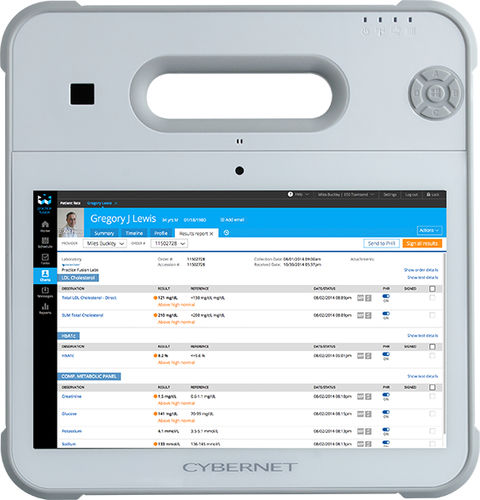
Collaboration between on-site and remote providers is easier because EMRs are available on medical tablets and through telehealth.
Security measures such as biometric ID and data encryption help protect patient data and ensure compliance with privacy regulations.
Storing EHRs off-site or in the cloud can help prevent data loss from cyberattacks or extreme weather events such as flooding.
EMR systems save a lot of time and money because there’s no need to print, store, or manage paper files. These savings can be used to improve patient care.
Best Practices for Successful Implementation
EHRs are part of healthcare’s digital transformation, replacing paper records with more accurate information, quick searches, and cost savings. Medical groups can achieve these benefits by using the following EHR workflow optimization strategies.
Audit Workflows
How do staff use the EHR system? Focus on providers. Which forms are hard to use? Can they find information easily? Identify and prioritize any workflow bottlenecks or pain points. Leverage built-in features.
Check which templates, macros, and order sets the EHR offers. These can be configured to streamline workflows. Advanced systems may also have dictation and speech recognition to reduce data entry, which providers appreciate.
Customize EHR Interface
Many EHR systems let you customize menus and shortcuts. Medical groups can use this to highlight the most frequently used features in each department.
Standardize Data Entry
Ensure information is entered into the EHR consistently, using the correct format and terminology. This helps staff and patients quickly enter and understand data, reducing errors and slow searches.
User Training and Support
Plan training sessions for all staff, ensuring they fit their work schedules so they don’t feel overwhelmed, especially with advanced features. If possible, have a dedicated support person available to answer EHR questions and address issues.
Integration with Other Systems
Healthcare interoperability means different medical devices, equipment, and networks can easily share and update data. Check that your EHR works with lab systems and patient portals. Well-connected systems help prevent duplicate data entry, duplicate records, and problems finding records.
Keep Your EHR Workflow Optimized by Cybernet Computers
EHR workflow optimization helps make EHR systems more functional, efficient, and easy to use. By reducing paperwork and errors, an optimized EHR can boost productivity, lower provider burnout, and reduce costs for medical groups.
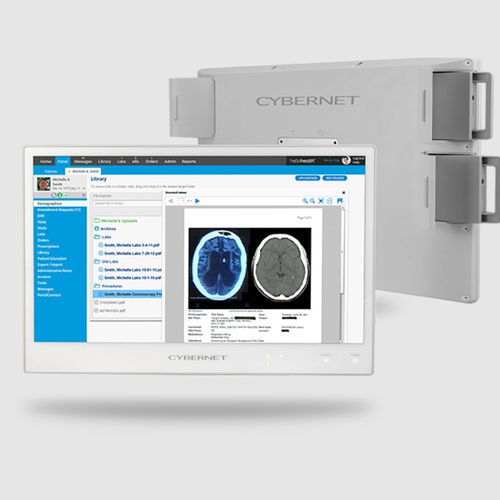
If you want to learn more about EHR workflow optimization, contact Cybernet Manufacturing. Our medical computers are designed for EHRs, with hardware and software that can handle demanding records. If our pre-built options don’t fit your needs, we can build a custom computer for you, from all-in-one PCs to medical AI computers, tailored to your requirements.